
Shopify PDP Image vs Marketplace Listing Image (2026)
A Shopify product page can guide a shopper through a brand story, while a marketplace listing image has to win a click inside a search grid governed by platform rules. This comparison explains how the same product needs different first images, supporting order, crops and review checklists on each surface.
AISellerKit Editorial Team · Reviewed by Commerce Strategy Team · Updated Nov 20, 2026
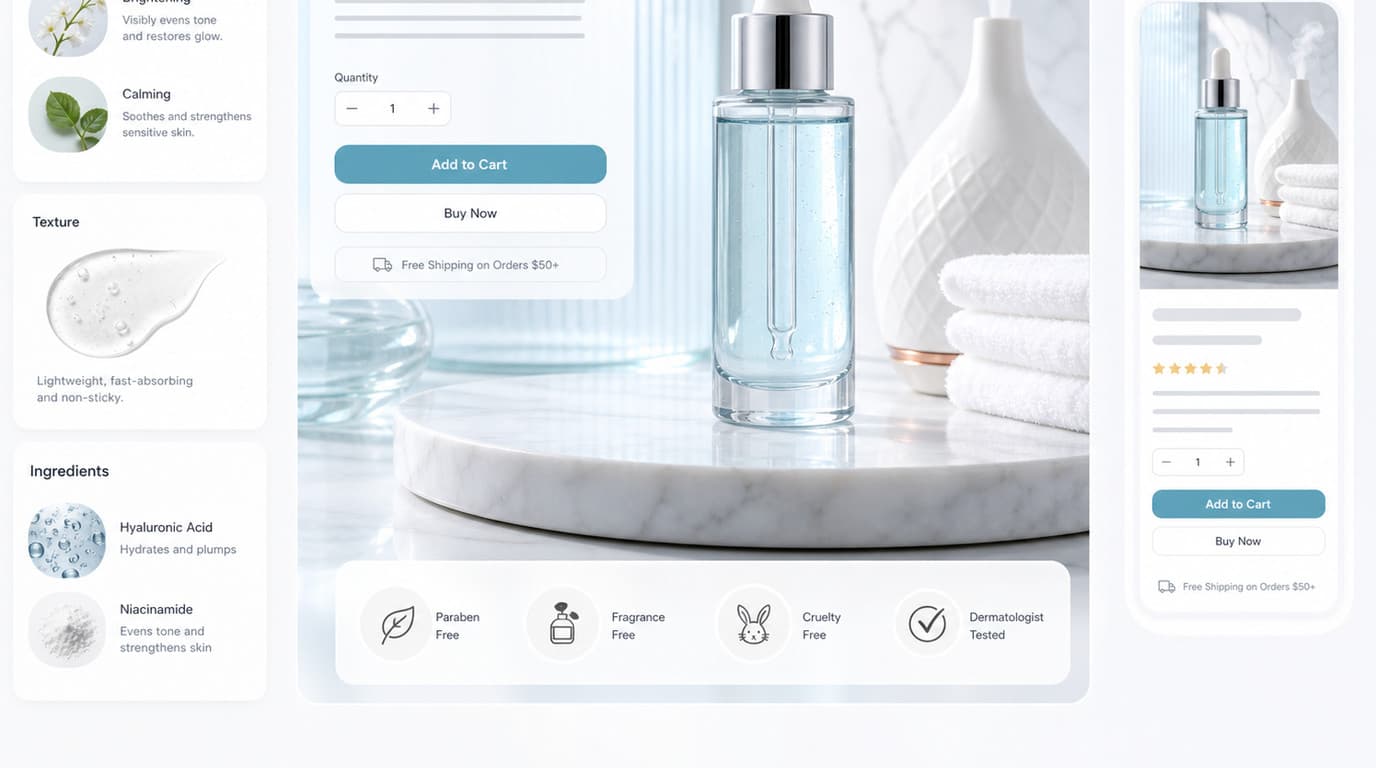
Production and review workflow
Two different arrivals
A Shopify visitor usually arrives from a brand ad, a collection page, an email or an organic search result, and the storefront controls the sequence from the first image to the add-to-cart button. A marketplace shopper usually sees the product as one tile among many in a search grid, often on a phone, and decides whether to click before reading any copy. The Shopify gallery can build a story; the marketplace lead image has to win recognition and pass platform rules. Planning both from the same photo without acknowledging that difference is the root of most channel-image mistakes.
What the Shopify PDP gallery must do
The Shopify product page gallery is a persuasive sequence. It should confirm the product, show scale and detail, explain use, reduce objections and support the brand promise. Shopify Help's product media documentation covers the media types a theme can display, including images, video and 3D models, but the theme decides the crop, gallery layout and zoom behaviour. Check the actual theme rather than assuming the editor preview matches the live page. Order the media so the first frame makes the product unmistakable, then let each later frame answer one buyer question.
What a marketplace lead image must do
A marketplace lead image has a narrower job. It must show the correct product, variation and pack contents on a clean background, without added text, logos, watermarks or props that imply extra contents. Amazon Seller Central publishes category-specific product image requirements, and other marketplaces publish their own lead-image rules. The image also has to survive the search grid at thumbnail size. A beautiful lifestyle frame that hides the product shape or adds promotional copy may work on a brand site and still fail a marketplace review.
Reusing one master without copying the crop
Build one high-resolution master from the verified product reference, then export channel variants rather than reusing the same file everywhere. For Shopify, check the theme's gallery, collection-card and mobile crops; export above the displayed size so zoom stays sharp. For a marketplace, produce a separate lead image that follows the destination rule set. Descriptive file names and accurate alt text support both surfaces and align with Google Search Central's image best practices, but alt text cannot rescue an image that misrepresents the product.
Review each surface separately
Keep one product master and two review checklists. On Shopify, review the first frame, gallery order, mobile crop, zoom quality, alt text and the page's largest-contentful-paint image; web.dev's guidance on LCP is a useful reference for the last item. On the marketplace, review the lead image against the current platform rule, confirm the variation and contents, and check the thumbnail. A single approval pass tends to judge the image as creative work rather than as two different commercial assets.
FAQ
Can I use the same image on Shopify and Amazon?
Use the same verified master, but do not copy the same first frame. A Shopify gallery can carry brand context; an Amazon lead image must satisfy the current category rule set. Reframe and review each export separately.
Why does my Shopify product image look cropped?
The theme controls the gallery, collection-card and mobile crops. Check the theme settings, preview the live page at phone and desktop widths, and export above the displayed size so the crop does not soften the product.
Does image order matter on a Shopify product page?
Yes. The first image sets the buyer's expectation and often becomes the collection and social preview. Put the clearest product view first, then use later frames for scale, detail, use and proof.
What makes a marketplace listing image fail review?
Common causes include added text or watermarks, a background the category does not allow, props that imply included contents, and a product that does not match the variation. Confirm the current rule before upload rather than relying on an old template.
Does Shopify have strict image size requirements?
Shopify Help documents supported media types and practical guidance, but the theme controls display size and crop. Export a high-resolution master, check the theme's rendered sizes and test zoom on a high-density screen.
Official sources
- Amazon Seller Central — product image requirementsChecked 2026-11-13
- Shopify Help — product mediaChecked 2026-11-13
- Google Search Central — image best practicesChecked 2026-11-13
Checked before publishing. Confirm the current requirements on the destination platform before a batch upload.
Related resources
Shopify Product Images vs Etsy Listing Images (2026)
Compare Shopify storefront images and Etsy listing images: shopper intent, crops, storytelling and the review each channel needs.
Marketplace Listing Image Pack vs Single Product Image (2026)
Decide when one product image is enough and when a marketplace listing image pack earns its production cost.
Product Image Pack vs Product Video (2026)
Compare a static product image pack and a short product video: buyer questions, placement, production cost and the review each asset needs.
AI Product Images vs Traditional Studio Photography (2026)
Compare AI product image generation and traditional studio photography on cost, accuracy, speed, scale and the cases where each wins.
Resource center
A central entry point for guides, examples, templates, industry pages, and channel hubs.
E-commerce video
Alongside product-image workflows, AISellerKit supports e-commerce video generation from a product start image and a short creative direction. It helps teams explore product motion for PDP heroes, short-form ads, and social previews, while keeping task history in the same account workspace. Teams must review every result for product accuracy and channel compliance before publishing.
Industry pages
Explore category-specific workflows for beauty, electronics, home, pet, and more.
Examples
Inspect public examples for detail pages, hero visuals, and marketplace sets.
Templates
Use reusable prompt and workflow templates for production tasks.