
Watch Product Image Guide (2026)
Watch buyers compare case size, dial color, strap, movement and water resistance before price. This guide covers scale on the wrist, reflective crystal, strap texture and the specification claims a watch listing must prove.
AISellerKit Editorial Team · Reviewed by Commerce Strategy Team · Updated Jul 3, 2026
Production and review workflow
What watch buyers need to judge
A watch is a precision object, so the buyer needs more than a handsome dial. They need the case diameter and thickness, how it sits on a wrist, the true dial color, the strap material and clasp, the movement or smart features, and the water-resistance rating. A dramatic hero can make a 38 mm case look oversized or a steel bezel look black. Build the set around dimensions, legibility, materials and documentation, and keep the lifestyle image honest about wrist size.
Scale and wrist presence
State the case diameter, lug-to-lug length, thickness and strap width in millimetres, then photograph the watch on a representative wrist. A 40 mm dive watch on a large wrist and the same watch on a small wrist are different products to the buyer. Show the clasp, caseback and any quick-release mechanism. For smartwatches, show the screen at a realistic brightness and include the charging accessory. Avoid floating the watch in a way that removes all sense of scale, and do not stretch a small case into a heroic wide-angle composition.
Dial, crystal and reflection control
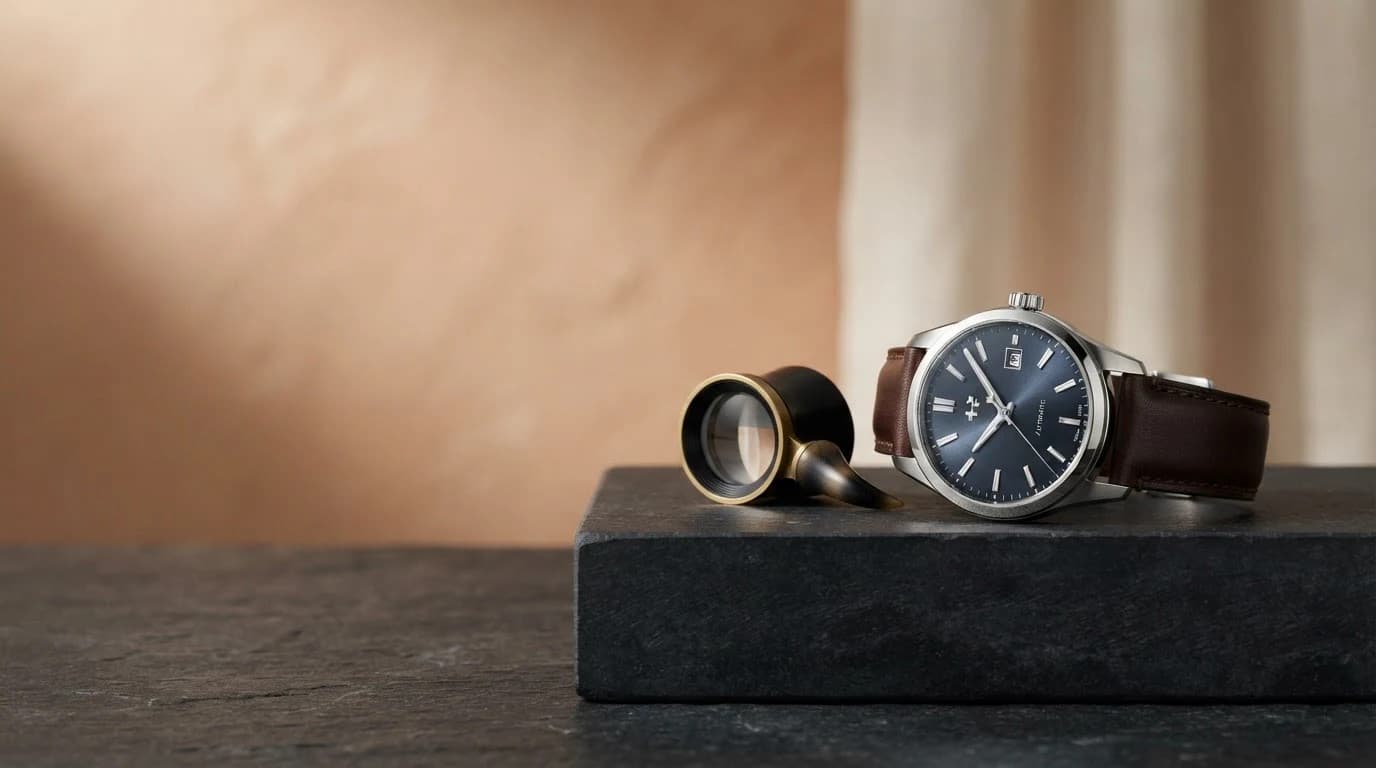
Watch crystals are designed to reflect, which makes them the hardest part of the image. Use a large diffused source and a polarizer where possible, angle the case so the dial is readable and the reflection does not cover the hands or date window. Show lume, textured dials and applied indices at a low angle so the surface detail appears without turning the dial into a mirror. Keep the dial color consistent between the hero, macro and wrist shots; white balance drift is especially visible on blue, green and salmon dials.
Straps, materials and construction
The strap is half the product. Show leather grain, stitching, rubber texture, bracelet links and the clasp at macro scale. For metal bracelets, show the brushed and polished surfaces separately and state whether the links are solid or folded. For smartwatches, show the sensor array, buttons and charging contacts. Do not retouch scratches out of a used or refurbished watch; condition is part of the listing. If the watch is sold with extra straps or tools, lay them out so the buyer knows what is included.
Specifications, water resistance and warranty claims
Water resistance, movement accuracy, battery life, sapphire coating and warranty terms are claims the buyer will test in daily use. State the rating exactly as approved and do not imply that a splash-resistant watch is suitable for diving. Show the caseback markings and any warranty card or serial documentation where appropriate. For refurbished or vintage watches, disclose service history and condition rather than photographing only the best angle. Keep the image text and overlay consistent with the specification sheet.
A repeatable watch image set
Standardise six frames per SKU: a clean hero, a dial macro, a wrist or scale frame, a strap and clasp detail, a caseback or specification frame, and one lifestyle scene. Keep the same light and background across a collection so dial colors and case finishes can be compared, and photograph each size on a representative wrist. Store the approved dimensions and specification sheet with the SKU so a new strap or colourway does not restart art direction. Review the set on a phone; if the dial or case size disappears at thumbnail size, the listing will mislead the buyer.
FAQ
How do I show watch size accurately?
State case diameter, lug-to-lug length, thickness and strap width in millimetres, and photograph the watch on a representative wrist. Avoid wide-angle compositions that stretch the case.
How do I photograph a reflective watch crystal?
Use a large diffused source and a polarizer, angle the case so the reflection misses the hands and date window, and keep dial color consistent across hero, macro and wrist shots.
Can I describe a watch as waterproof?
Use the exact approved water-resistance rating and do not imply dive capability beyond it. Show caseback markings and keep the image copy consistent with the specification sheet.
What should a refurbished watch listing show?
Show honest condition, service history, included accessories and any warranty or serial documentation. Do not retouch away scratches or wear that the buyer should know about.
Can AI generate watch product images?
It can generate supporting scenes and lighting directions, but case dimensions, dial color, materials and water-resistance claims must be verified against the physical watch before publishing.
Official sources
- Amazon Seller Central — product image requirementsChecked 2026-11-13
- Shopify Help — product mediaChecked 2026-11-13
- Google Search Central — image best practicesChecked 2026-11-13
Checked before publishing. Confirm the current requirements on the destination platform before a batch upload.
Related resources
Smartphone Accessory Product Image Guide (2026)
How to photograph phone cases, chargers and accessories so device compatibility, dimensions, materials and charging claims are accurate across listings.
Automotive Parts Product Image Guide (2026)
How to photograph automotive parts so fitment, compatibility, materials, condition and warranty claims are accurate across marketplace and storefront images.
Baby and Kids Product Image Guide (2026)
How to photograph baby and children's products so age grading, safety features, materials and sizing are accurate across storefront and marketplace images.
Bag and Luggage Product Image Guide (2026)
How to photograph bags and luggage so capacity, dimensions, hardware, materials and carry-on compliance are clear across storefront and marketplace images.
Resource center
A central entry point for guides, examples, templates, industry pages, and channel hubs.
E-commerce video
Alongside product-image workflows, AISellerKit supports e-commerce video generation from a product start image and a short creative direction. It helps teams explore product motion for PDP heroes, short-form ads, and social previews, while keeping task history in the same account workspace. Teams must review every result for product accuracy and channel compliance before publishing.
Industry pages
Explore category-specific workflows for beauty, electronics, home, pet, and more.
Examples
Inspect public examples for detail pages, hero visuals, and marketplace sets.
Templates
Use reusable prompt and workflow templates for production tasks.