
Shopify Product Image Generator
This guide is built for Shopify teams that need hero images, collection graphics, product detail visuals, and campaign refreshes without rebuilding every asset from scratch.
AISellerKit Editorial Team · Reviewed by Commerce Strategy Team · Updated Sep 16, 2026
CommercePix AI by AISellerKit
Shopify Product Image Generator for DTC Storefronts
Workflow Overview
Choose the right next step
Workflow focus
Shopify product image generator
Best fit
E-commerce teams evaluating a product-image workflow
Start the workflow
Start generatingWhat Shopify teams optimize for
Storefront visuals need to balance product clarity with brand mood, campaign context, and mobile-friendly composition.
How to brief better images
Useful prompts usually describe the product, campaign mood, audience, and where the image will appear inside the storefront journey.
The Shopify image surfaces that matter
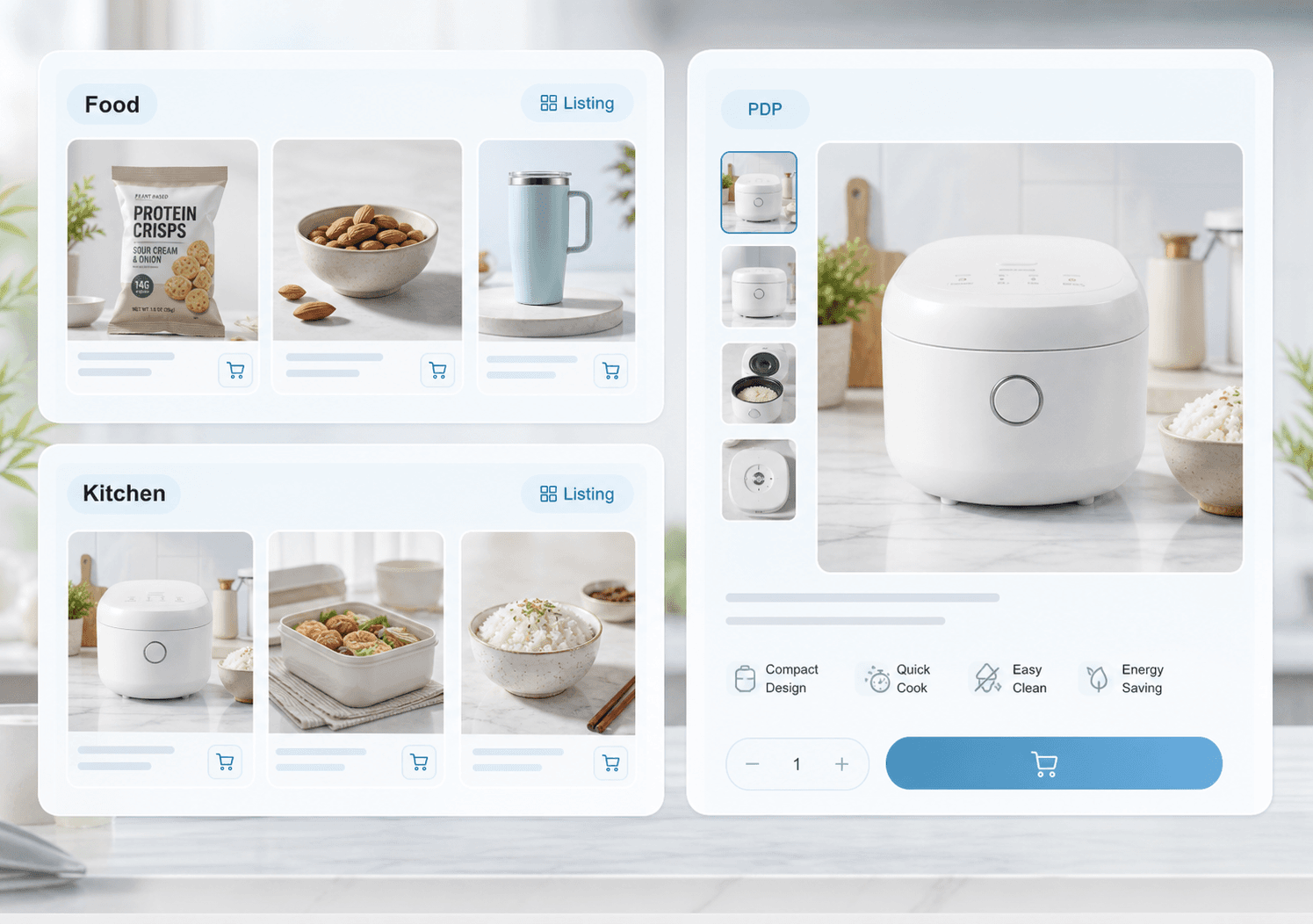
A Shopify store asks for the same product in four different jobs: a collection tile that has to be recognised in a grid, a product page gallery that has to remove doubt, a hero or banner that sets the campaign mood, and a social crop that has to survive a square and a vertical format. Generating one image and reusing it everywhere is why so many stores look flat. Generate per surface, then keep the product treatment consistent between them.
Brand-led composition without losing product truth
Shopify is where styling is allowed, which is also where accuracy quietly slips. Props, moody lighting, and colour grading can change how a finish or a shade reads, and the buyer discovers that on delivery rather than on the page. Keep the product's own colour and material faithful, style the scene around it, and treat any generated text as suspect until someone has read it against the source.
FAQ
How is Shopify image generation different from marketplace image generation?
Shopify visuals usually carry more brand tone, campaign atmosphere, and flexible layout needs than strict marketplace images.
Can these visuals be reused elsewhere?
Yes. Storefront visuals often become email banners, paid social assets, and launch graphics with small adjustments.
What image sizes does Shopify need?
Shopify recommends square product images around 2048 x 2048 px for zoom quality, and it handles responsive resizing. The bigger constraint is the crop: check the collection grid and the mobile product page rather than only the desktop layout.
Can Shopify product images have text or props?
Yes. Unlike Amazon's main image rules, Shopify allows styled scenes and overlay text. Verify claims, avoid implying that props are included, and keep the product's real colour and material accurate.
Ready to apply this workflow?
Create the next product visual
Use the Shopify product image generator workflow with your product references, then review the result against the destination channel before publishing.
Related resources
Shopify PDP Image Generator
Generate Shopify PDP hero banners, benefit modules, use-case scenes, trust visuals, and product detail blocks around one SKU.
Ecommerce Hero Banner Generator
Generate ecommerce hero banners for collection launches, DTC landing pages, seasonal campaigns, paid traffic, and product storytelling.
Product Detail Page Image Generator
Create product detail page visuals that explain features, benefits, ingredients, dimensions, and usage with stronger ecommerce storytelling.
Amazon A+ Content Image Generator
Create reviewable Amazon A+ content image directions for product storytelling, comparison modules, feature proof, and mobile-readable listing visuals.
Resource center
A central entry point for guides, examples, templates, industry pages, and channel hubs.
AI product image resources
Browse guides, comparisons, templates, examples, and production use cases.
AI product image software resources
Cover software evaluation, creative automation, PDP optimization, and ecommerce buying intent.
Amazon and Shopify image resources
See how marketplace and storefront image systems differ.
Ecommerce localization resources for global sellers
A practical planning hub for teams adapting one approved SKU into market-aware creative for North America, Europe, Japan, South Korea, Hong Kong, and Taiwan without losing product accuracy or platform context.
E-commerce video
Alongside product-image workflows, CommercePix AI supports e-commerce video generation from a product start image and a short creative direction. It helps teams explore product motion for PDP heroes, short-form ads, and social previews, while keeping task history in the same account workspace. Teams must review every result for product accuracy and channel compliance before publishing.
Industry pages
Explore category-specific workflows for beauty, electronics, home, pet, and more.
Examples
Inspect public examples for detail pages, hero visuals, and marketplace sets.
Templates
Use reusable prompt and workflow templates for production tasks.