
Shopify PDP Image Generator
This guide focuses on Shopify PDP image systems that help shoppers understand benefits, trust cues, use cases, and product details before buying.
VisualNovi Editorial Team · Reviewed by Commerce Strategy Team · Updated Sep 27, 2026
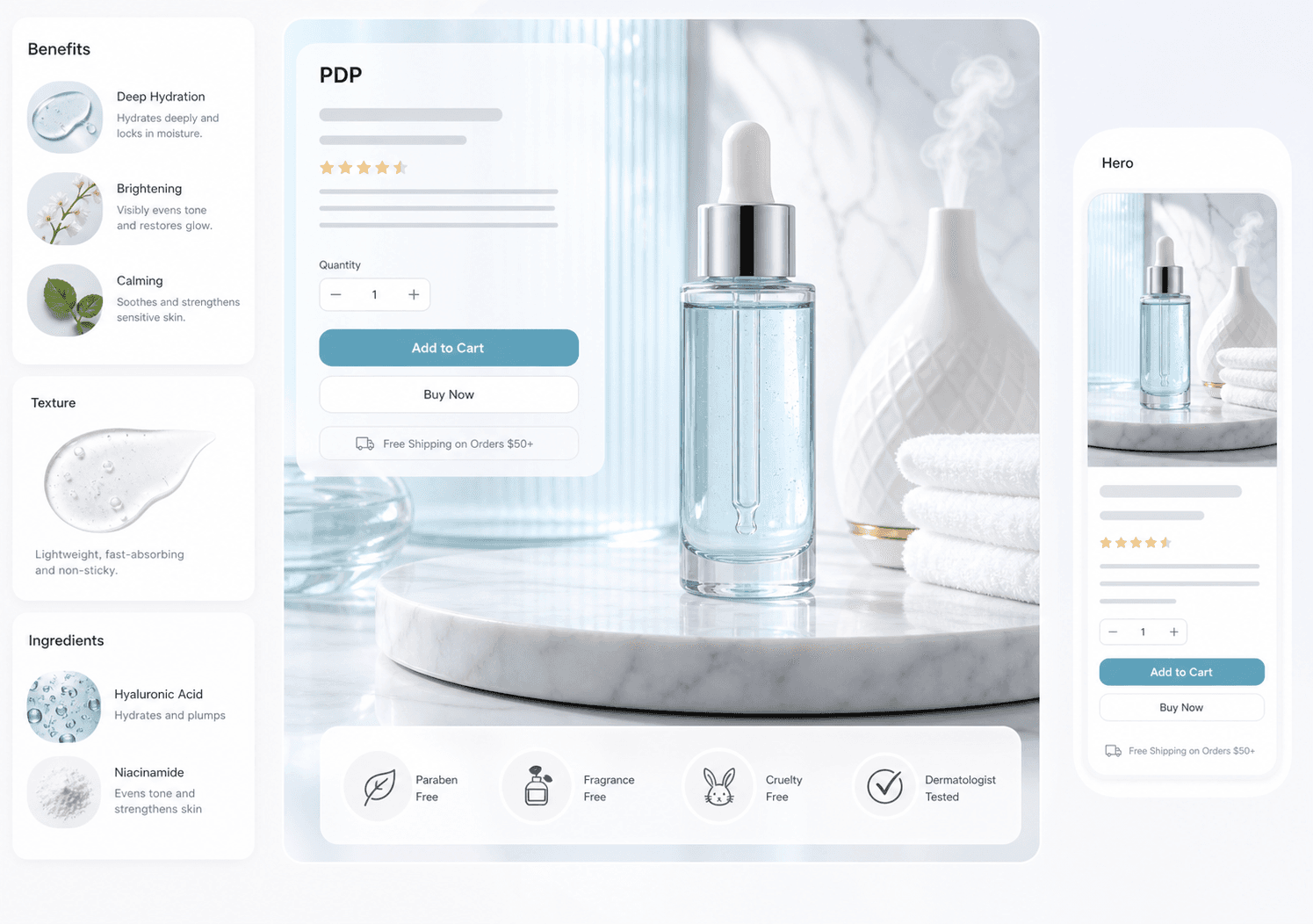
Shopify PDP Image Generator: Product Page Image Guide
Workflow Overview
Choose the right next step
Workflow focus
Shopify PDP image generator
Best fit
E-commerce teams evaluating a product-image workflow
Start the workflow
Start generatingStructuring a product page gallery for conversion
A PDP gallery works when the first two images identify and confirm, and the rest remove objections in the order they appear: fit, size, material, what arrives, and how it compares. Merchants usually have enough images and the wrong order, which pushes the answer to the buyer's real question into the fourth or fifth slot where fewer people scroll.
Matching the gallery to the traffic that arrives
Most PDP traffic arrives from a specific promise: an ad, an email, a search result. The gallery should continue that promise in the first frame rather than starting a new story. When a campaign pushes a lifestyle angle, the first PDP image should show the same scene, or the visitor has to re-orient and the bounce rate pays for it.
Build the PDP as a sequence
A Shopify PDP should not rely on one hero image. Stronger pages use a sequence of visuals that explain why the product matters.
Keep brand context and SKU context together
SKU projects help preserve product references while allowing the PDP pack to carry brand tone, language, aspect ratio, and storefront placement.
Reduce the gap between ad and PDP
If paid social drives traffic to Shopify, the PDP visuals should reinforce the same promise instead of restarting the story.
FAQ
How many images should a Shopify product page have?
Enough to answer the buyer's objections and no more. Four to six well-ordered images usually outperform twelve images where the answer sits below the fold, and a video belongs near the top when motion is the selling point.
Should the PDP gallery match the ad creative?
Yes. The first PDP image should visually continue the promise that brought the visitor in, which reduces the re-orientation that drives early bounces.
What is a Shopify PDP image generator?
It is an AI workflow for creating product detail page visuals such as hero banners, benefit modules, use-case scenes, and trust visuals.
How is it different from a Shopify hero image generator?
A hero image is one section. A PDP image generator supports the full product detail sequence after the first impression.
Should Shopify PDP images be generated as a pack?
Yes, because PDP images work best when they explain a product in a coherent order.
Ready to apply this workflow?
Create the next product visual
Use the Shopify PDP image generator workflow with your product references, then review the result against the destination channel before publishing.
Related resources
Ecommerce Hero Banner Generator
Generate ecommerce hero banners for collection launches, DTC landing pages, seasonal campaigns, paid traffic, and product storytelling.
Amazon Listing Image Requirements 2026
See how an Amazon listing image generator can help sellers create main-image directions, lifestyle scenes, feature callouts, and benefit visuals faster.
Facebook Catalog Image Requirements Generator
Meta catalogue image requirements for Shops, dynamic ads and Instagram product tags: size, background and overlay rules, plus a feed-ready image set.
Google Shopping Product Image Generator
Generate Google Shopping product images for feed quality, clean product recognition, ad relevance, catalog consistency, and mobile search results.
Resource center
A central entry point for guides, examples, templates, industry pages, and channel hubs.
AI product image resources
Browse guides, comparisons, templates, examples, and production use cases.
AI product image software resources
Cover software evaluation, creative automation, PDP optimization, and ecommerce buying intent.
Amazon and Shopify image resources
See how marketplace and storefront image systems differ.
Ecommerce localization resources for global sellers
A practical planning hub for teams adapting one approved SKU into market-aware creative for North America, Europe, Japan, South Korea, Hong Kong, and Taiwan without losing product accuracy or platform context.
E-commerce video
Alongside product-image workflows, VisualNovi supports e-commerce video generation from a product start image and a short creative direction. It helps teams explore product motion for PDP heroes, short-form ads, and social previews, while keeping task history in the same account workspace. Teams must review every result for product accuracy and channel compliance before publishing.
Industry pages
Explore category-specific workflows for beauty, electronics, home, pet, and more.
Examples
Inspect public examples for detail pages, hero visuals, and marketplace sets.
Templates
Use reusable prompt and workflow templates for production tasks.