
Marketplace Listing Image Pack Generator
This guide explains how cross-border ecommerce teams can use one SKU workflow to generate consistent listing images for different marketplace requirements.
VisualNovi Editorial Team · Reviewed by Commerce Strategy Team · Updated Sep 16, 2026
Marketplace Listing Image Pack Generator
Workflow Overview
Choose the right next step
Workflow focus
marketplace listing image pack generator
Best fit
E-commerce teams evaluating a product-image workflow
Start the workflow
Build an image setPlan by marketplace role
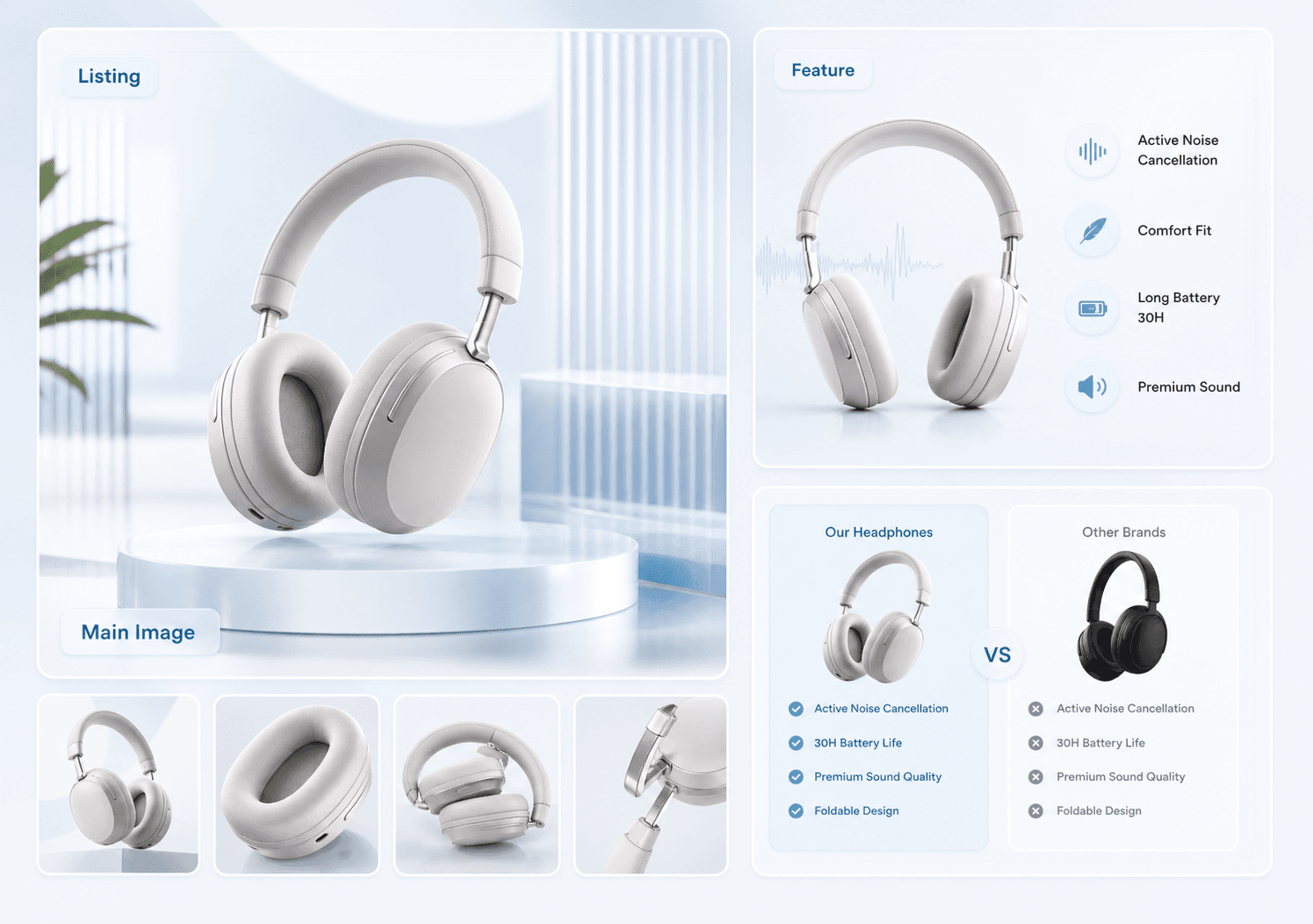
A listing pack should cover the product-first image, benefit explanation, use case, comparison, and promotion without making every image look identical.
Adapt without losing identity
Different marketplaces need different visual rhythm, but the product identity should stay stable across every channel version.
Use SKU history for faster refreshes
Saved SKU context helps teams localize, refresh, and expand listing packs without rewriting the product brief from zero.
Building one product pack for several marketplaces
The efficient structure is one master pack per SKU and one channel profile per marketplace. The master pack holds the compliant lead image, the variant set, benefit and detail images, scale, and contents. A channel profile then defines what each marketplace requires: Amazon's pure white lead and 85% frame fill, Temu's clean square lead with no overlays, Shopify's brand-led freedom, or a price-led marketplace where the gallery has to carry the comparison.
What to check before a multi-channel launch
Launch mistakes are almost always inconsistencies rather than bad images: a colour that reads differently on two marketplaces, a pack size shown as six on one and eight on another, or a claim that is allowed in one market and not the next. Run a single review pass comparing the same SKU side by side across all channels, because drift is only visible in comparison.
FAQ
Which marketplaces can this workflow support?
The workflow can support marketplace-oriented image packs for Amazon, Shopee, Lazada, Temu, AliExpress, and similar cross-border channels.
Is a marketplace image pack different from a Shopify PDP pack?
Yes. Marketplace packs usually prioritize fast product clarity and offer readability, while Shopify PDP packs have more room for brand storytelling.
Why not use one image everywhere?
One image can be reused in some cases, but stronger conversion usually comes from adapting the same SKU identity to each channel.
Can I use the same images on Amazon, Temu and Shopify?
The Amazon lead image is the strictest, so a compliant Amazon main image usually works as a starting point elsewhere. Shopify allows brand-led composition that would fail Amazon and Temu review, so build the master pack against the strictest channel.
What is a marketplace channel profile?
A reusable set of requirements per marketplace: image ratio, background rules, what may appear on the lead image, variant expectations, and any overlay restrictions. Define it once and re-export the master pack against it.
Ready to apply this workflow?
Turn this plan into a reusable image set
Use the marketplace listing image pack generator workflow with your product references, then review the result against the destination channel before publishing.
Related resources
Amazon Listing Image Requirements 2026
See how an Amazon listing image generator can help sellers create main-image directions, lifestyle scenes, feature callouts, and benefit visuals faster.
Shopee Listing Image Requirements 2026
Generate Shopee listing images, promo cards, mobile detail visuals, voucher graphics, and campaign assets with a consistent SKU image pack workflow.
Walmart Listing Image Generator
Walmart marketplace image standards for the main image, angle sets and lifestyle slots, plus a complete set generator that passes content review.
TikTok Shop Product Image Requirements 2026
Create TikTok Shop mobile listing images, live-commerce cards, UGC proof scenes, and SKU-accurate promo assets built for fast shopping decisions.
Resource center
A central entry point for guides, examples, templates, industry pages, and channel hubs.
AI product image resources
Browse guides, comparisons, templates, examples, and production use cases.
AI product image software resources
Cover software evaluation, creative automation, PDP optimization, and ecommerce buying intent.
Amazon and Shopify image resources
See how marketplace and storefront image systems differ.
Ecommerce localization resources for global sellers
A practical planning hub for teams adapting one approved SKU into market-aware creative for North America, Europe, Japan, South Korea, Hong Kong, and Taiwan without losing product accuracy or platform context.
E-commerce video
Alongside product-image workflows, VisualNovi supports e-commerce video generation from a product start image and a short creative direction. It helps teams explore product motion for PDP heroes, short-form ads, and social previews, while keeping task history in the same account workspace. Teams must review every result for product accuracy and channel compliance before publishing.
Industry pages
Explore category-specific workflows for beauty, electronics, home, pet, and more.
Examples
Inspect public examples for detail pages, hero visuals, and marketplace sets.
Templates
Use reusable prompt and workflow templates for production tasks.