
Home and Kitchen Product Image Guide (2026)
Home and kitchen shoppers are buying an object that has to fit a real room, shelf or hob. This guide covers scale, material honesty, set contents, care limits and the safety claims that images must not exaggerate.
AISellerKit Editorial Team · Reviewed by Commerce Strategy Team · Updated Jul 3, 2026
Production and review workflow
What home and kitchen buyers need to see
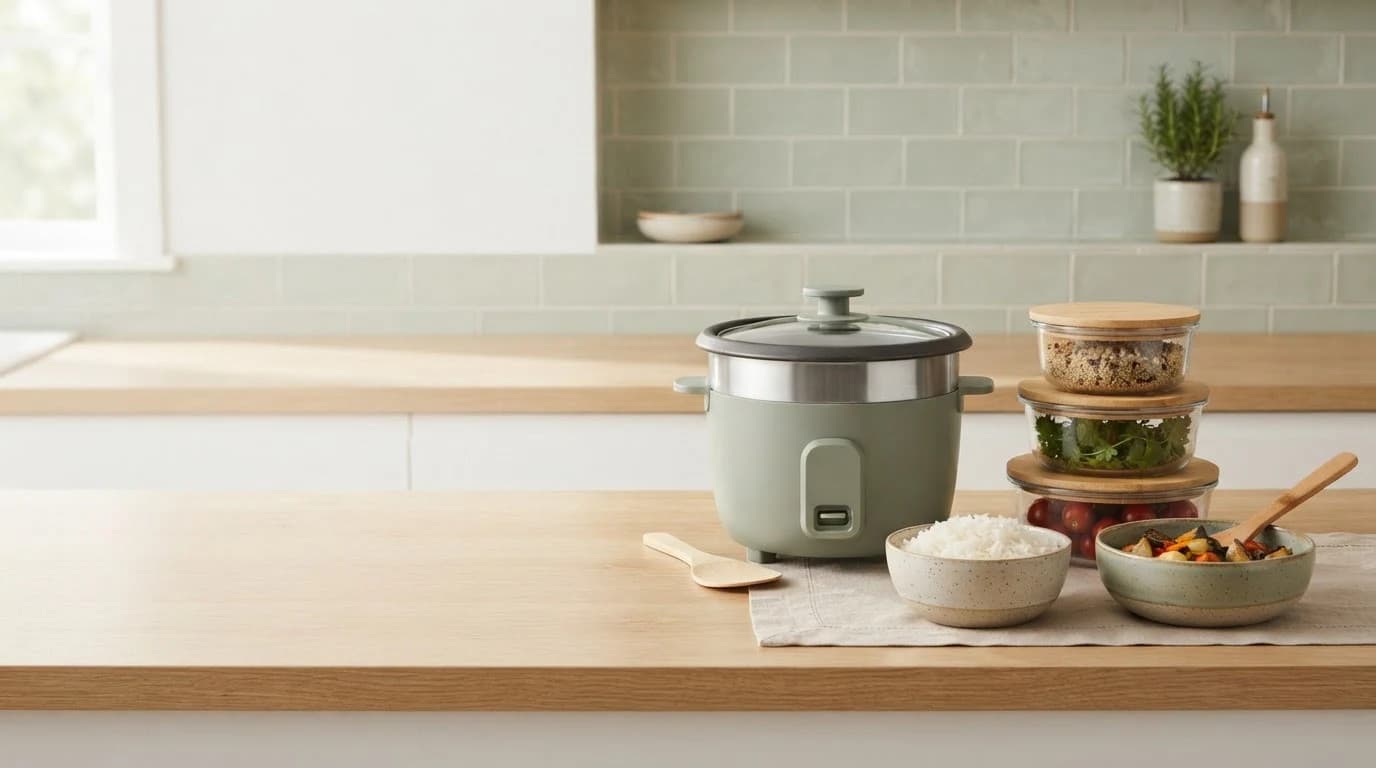
A home or kitchen product has to survive a room it has never seen. Buyers need the real size against a table, shelf, hand or hob; the material and finish they will touch; every piece that comes in the box; how the surface handles heat, water, oil and washing; and whether the product is safe for food, children or a specific appliance. A styled hero can set a mood, but it cannot answer those questions. Build the image set around scale, material, contents and care, then use one lifestyle scene to show the product in a plausible space instead of an oversized fantasy set.
Scale is the first source of returns
Homeware returns often begin with a size surprise: a lamp that looks like a floor piece but arrives desktop-sized, a pan that photographs wider than the hob, or a storage box that does not fit the cabinet it was meant for. Put a familiar reference in at least one frame, such as a dinner plate, a 30 cm ruler, a standard mug or a hand, and keep the camera at the height a buyer would use. For furniture and storage, show exterior and interior dimensions, state capacity in litres or millimetres, and photograph the item inside a real shelf or cabinet. Avoid forced perspective and wide-angle distortion; both make a small object look generous and a large object look compact.
Material and finish must stay honest
Wood grain direction, brushed versus polished metal, ceramic glaze, glass thickness, woven textile and non-stick coating all read differently under light. Use a large, soft source and a low-angle detail frame so texture and edge quality appear, and keep white balance consistent between the hero and the detail. Do not smooth away seams, joints, rivets or mould lines; those details tell a buyer how the object is made. For dark or reflective products, add fill and a controlled reflection instead of lifting exposure until the surface turns grey. If the finish is matte, satin or gloss, name it in the copy and make the image agree.
Show the complete set and its compatibility
A cookware set, dinnerware bundle or storage kit is judged by what is included and what it works with. Lay out every piece, count it, and show lids, racks, adapters and handles that a buyer might assume are separate purchases. Do not use styling props that look included unless they are labelled as props. State compatibility plainly: induction, gas or oven-safe limits, dishwasher and microwave suitability, and the maximum temperature or load. A top-down inventory image plus one grouped hero answers more pre-purchase questions than five atmospheric scenes, especially on a marketplace grid where the buyer cannot inspect the box.
Care, safety and claim accuracy
Home and kitchen images often carry claims that regulators and marketplaces treat as evidence: food-safe, BPA-free, dishwasher-safe, oven-safe, child-safe or a named certification. Do not add a badge, icon or overlay unless the claim is substantiated for that exact product and market. Show the care label or base marking where it helps, and keep any temperature, load or age guidance consistent with the manual. For knives, blades, glass, pressure cookers and small parts, show the safety-relevant feature rather than hiding it. If the product has a sharp edge or a removable piece, the image should make that obvious before purchase.
A repeatable home and kitchen image set
Standardise six frames per SKU: a clean hero, a scale reference, an inventory of contents, a material detail, an in-use scene and a care or safety frame. Keep the same light, background and camera height across a collection so sizes can be compared, and vary only the frame that answers a different question. Store the approved dimensions and the final set with the SKU so a new colourway or marketplace upload does not restart art direction. Review the set on a phone at thumbnail size; if the scale cue or the included pieces disappear, the listing will produce the same questions in support tickets.
FAQ
How do I show the real size of a home product?
Put a familiar object such as a dinner plate, mug, hand or ruler in the frame, keep the camera at a natural height and state exterior and interior dimensions in the copy. Avoid wide-angle distortion.
Should a kitchen listing show every included piece?
Yes. Lay out all pieces, count lids, racks and adapters, and label any styling prop that is not included. A clear inventory image prevents size and contents surprises.
Can I add a food-safe or dishwasher-safe badge to the image?
Only when the claim is substantiated for that exact product and market. Match the wording to the approved packaging and manual, and check the destination marketplace's overlay rules.
What image order works for cookware?
Lead with a clean hero, then scale, contents, material detail, an in-use scene and care or safety information. Check the destination channel for its own lead-image rules.
Can AI generate home and kitchen product images?
It can generate supporting scenes and material directions, but dimensions, contents, finish, safety claims and certification must be checked against the real product before publishing.
Official sources
- Amazon Seller Central — product image requirementsChecked 2026-11-13
- Shopify Help — product mediaChecked 2026-11-13
- Google Search Central — image best practicesChecked 2026-11-13
Checked before publishing. Confirm the current requirements on the destination platform before a batch upload.
Related resources
Tool and Hardware Product Image Guide (2026)
How to photograph tools and hardware so size, material, load ratings, included pieces and safety claims are accurate across storefront and marketplace images.
Computer and Laptop Product Image Guide (2026)
How to photograph computers and laptops so ports, configuration, scale, materials and performance claims are accurate across storefront and marketplace images.
Furniture Product Image Guide (2026)
How to photograph furniture so real scale, materials, assembly, load limits and room context are accurate across storefront and marketplace images.
Garden and Outdoor Living Product Image Guide (2026)
How to photograph garden and outdoor living products so weather resistance, scale, materials and safety are accurate across storefront and marketplace images.
Resource center
A central entry point for guides, examples, templates, industry pages, and channel hubs.
E-commerce video
Alongside product-image workflows, AISellerKit supports e-commerce video generation from a product start image and a short creative direction. It helps teams explore product motion for PDP heroes, short-form ads, and social previews, while keeping task history in the same account workspace. Teams must review every result for product accuracy and channel compliance before publishing.
Industry pages
Explore category-specific workflows for beauty, electronics, home, pet, and more.
Examples
Inspect public examples for detail pages, hero visuals, and marketplace sets.
Templates
Use reusable prompt and workflow templates for production tasks.