
Amazon Main Image Requirements 2026
A seller-facing workflow for turning an accurate product reference into a clean main-image draft, then reviewing the final file against the current requirements for its Amazon category.
VisualNovi Editorial Team · Reviewed by Commerce Strategy Team · Updated Sep 16, 2026
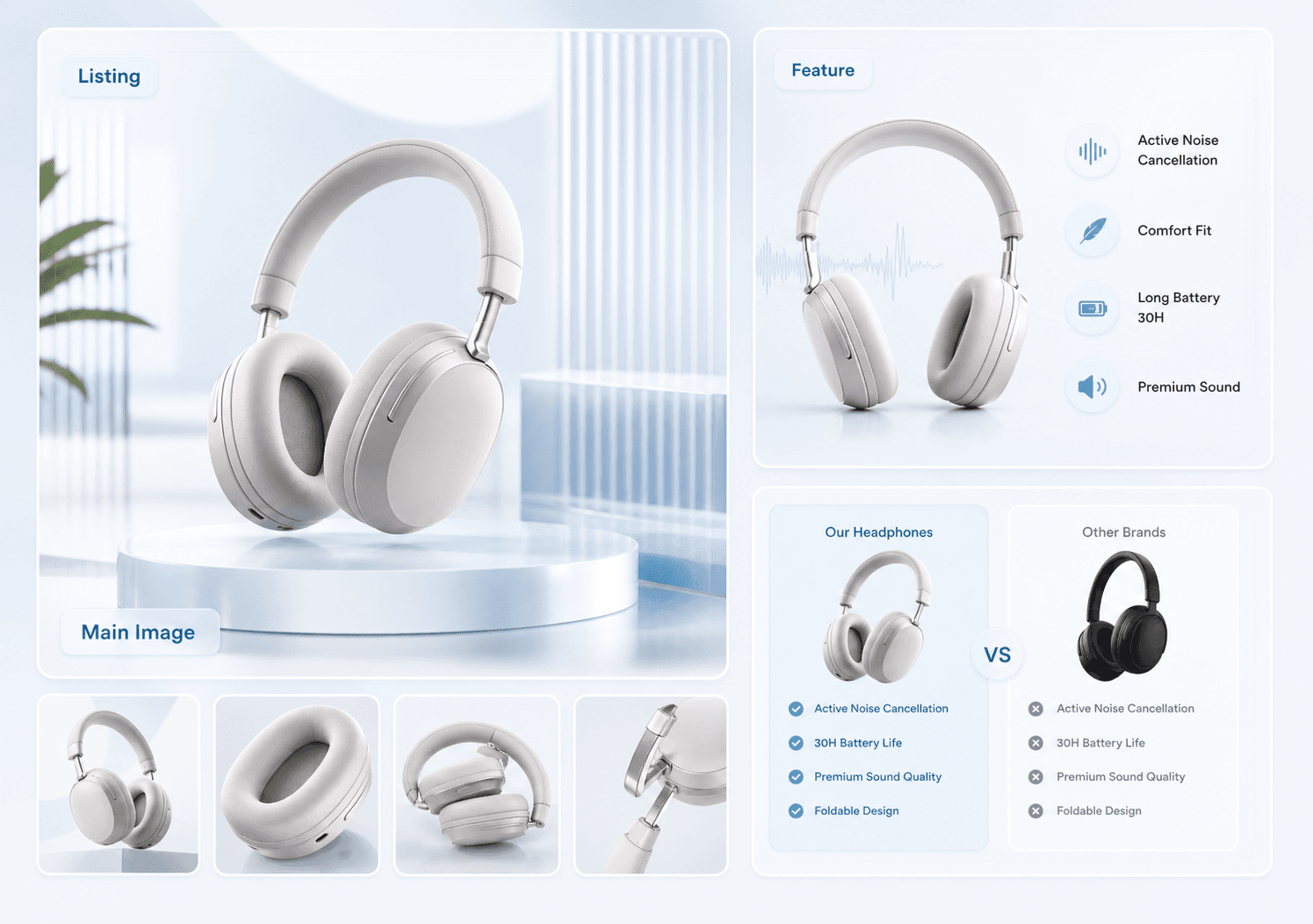
Amazon Main Image Checklist and AI Workflow for Sellers
Workflow Overview
Choose the right next step
Workflow focus
Amazon main image checklist
Best fit
E-commerce teams evaluating a product-image workflow
Start the workflow
Start retouchingVerified specification
Amazon main image · At a glance
Last verified:
- Minimum size
- 1000 px on the longest side (zoom threshold)
- Recommended size
- 1600 px or larger on the longest side
- Aspect ratio
- 1:1 square
- Background
- Pure white, RGB 255,255,255
- Product fill
- At least 85% of the frame
- Text, logo, watermark
- No text, logo, watermark, border, or added graphic
- Accepted formats
- JPEG, TIFF, PNG, GIF
- What may be shown
- Only the product being sold, or the set sold together
- Real product only
- No stylised illustration, placeholder, or accessory that is not included
- Zoom
- Enabled from 1000 px on the longest side; 1600 px is the practical target
- Category guides
- Category-specific style guides add rules on top of the baseline
Category rules can be stricter. This is a preflight baseline, not a platform approval guarantee.
Official source: Amazon Seller Central — product image requirementsBest use cases
Use amazon main image requirements 2026 when the team needs a focused product visual for a specific ecommerce page, channel, or buyer question instead of a generic AI image.
US and European Amazon listing checks
For Amazon.com and European Amazon stores, separate the lead image from supporting images, then verify the exact SKU, pack contents, dimensions, claims, and destination-category requirements before uploading. A listing image set should answer one buyer question per supporting image instead of repeating the lead image.
How to brief the workflow
Strong outputs start with accurate product references, a target channel, an image role, and short copy that can be reviewed before publishing.
Launch review checklist
AI can speed production, but ecommerce teams should still review product accuracy, claim accuracy, mobile readability, and platform requirements before using the image commercially.
Amazon main image checklist in production order
Run the checklist in the order Amazon review sees it. Background first, because a background that looks white but is not pure white is the single most common rejection. Then frame fill, then marks, then resolution, then variant mapping. Checking in this order means the first failure you find is usually the reason the listing was rejected, which shortens the fix loop considerably.
Why brightening is not the same as a white background
Sellers lose days here. Raising brightness or exposure on a photo makes the background look white on a bright screen while leaving a grey cast in the pixel values, so the listing still fails the main-image check. A real fix replaces the background with a white fill and rebuilds the contact shadow underneath the product so it still sits on the surface rather than floating.
FAQ
What is Amazon Main Image Requirements 2026?
Amazon Main Image Requirements 2026 is an AI ecommerce image workflow for creating product visuals around the search intent "Amazon main image requirements generator".
Can this be used for commercial ecommerce pages?
Yes, but every generated image should be reviewed for product accuracy, image text, brand rules, and marketplace or ad policy requirements before publishing.
How is this different from a generic AI image generator?
It is organized around ecommerce image roles, SKU references, channel requirements, and conversion review instead of open-ended image prompting.
What are the Amazon main image requirements?
Pure white background, product filling at least 85% of the frame, no text or logos or watermarks or borders, only the item or set sold, and at least 1000 px on the longest side. Many catégories recommend 1600 px or larger.
Why was my Amazon main image rejected?
The most common causes are a background that is not truly pure white, a product that fills less than 85% of the frame, leftover text or a watermark, insufficient resolution, or an image mapped to the wrong variant.
Ready to apply this workflow?
Clean up the approved product image
Use the Amazon main image checklist workflow with your product references, then review the result against the destination channel before publishing.
Related resources
Amazon Listing Image Requirements 2026
See how an Amazon listing image generator can help sellers create main-image directions, lifestyle scenes, feature callouts, and benefit visuals faster.
Shopee Listing Image Requirements 2026
Generate Shopee listing images, promo cards, mobile detail visuals, voucher graphics, and campaign assets with a consistent SKU image pack workflow.
eBay Listing Image Generator
eBay photo size, the zoom threshold, background and watermark rules and the free-photo allowance, plus a compliant listing photo set generator.
Etsy Listing Image Generator
Etsy listing photo sizes, square crop behaviour, thumbnail readability and the photo order shoppers see, plus a full listing photo set generator.
Resource center
A central entry point for guides, examples, templates, industry pages, and channel hubs.
AI product image resources
Browse guides, comparisons, templates, examples, and production use cases.
AI product image software resources
Cover software evaluation, creative automation, PDP optimization, and ecommerce buying intent.
Amazon and Shopify image resources
See how marketplace and storefront image systems differ.
Ecommerce localization resources for global sellers
A practical planning hub for teams adapting one approved SKU into market-aware creative for North America, Europe, Japan, South Korea, Hong Kong, and Taiwan without losing product accuracy or platform context.
E-commerce video
Alongside product-image workflows, VisualNovi supports e-commerce video generation from a product start image and a short creative direction. It helps teams explore product motion for PDP heroes, short-form ads, and social previews, while keeping task history in the same account workspace. Teams must review every result for product accuracy and channel compliance before publishing.
Industry pages
Explore category-specific workflows for beauty, electronics, home, pet, and more.
Examples
Inspect public examples for detail pages, hero visuals, and marketplace sets.
Templates
Use reusable prompt and workflow templates for production tasks.