
Shopify Product Images vs Amazon Listing Images
This page compares Shopify storefront visuals and Amazon listing images so teams can brief different channels without mixing the goals of each format.
AISellerKit Editorial Team · Reviewed by Commerce Strategy Team · Updated Sep 16, 2026
CommercePix AI by AISellerKit
Shopify Product Images vs Amazon Listing Images
Workflow Overview
Choose the right next step
Workflow focus
Shopify product images vs Amazon listing images
Best fit
Teams comparing multiple workflows or tool choices
Start the workflow
Build an image setHow Shopify images work
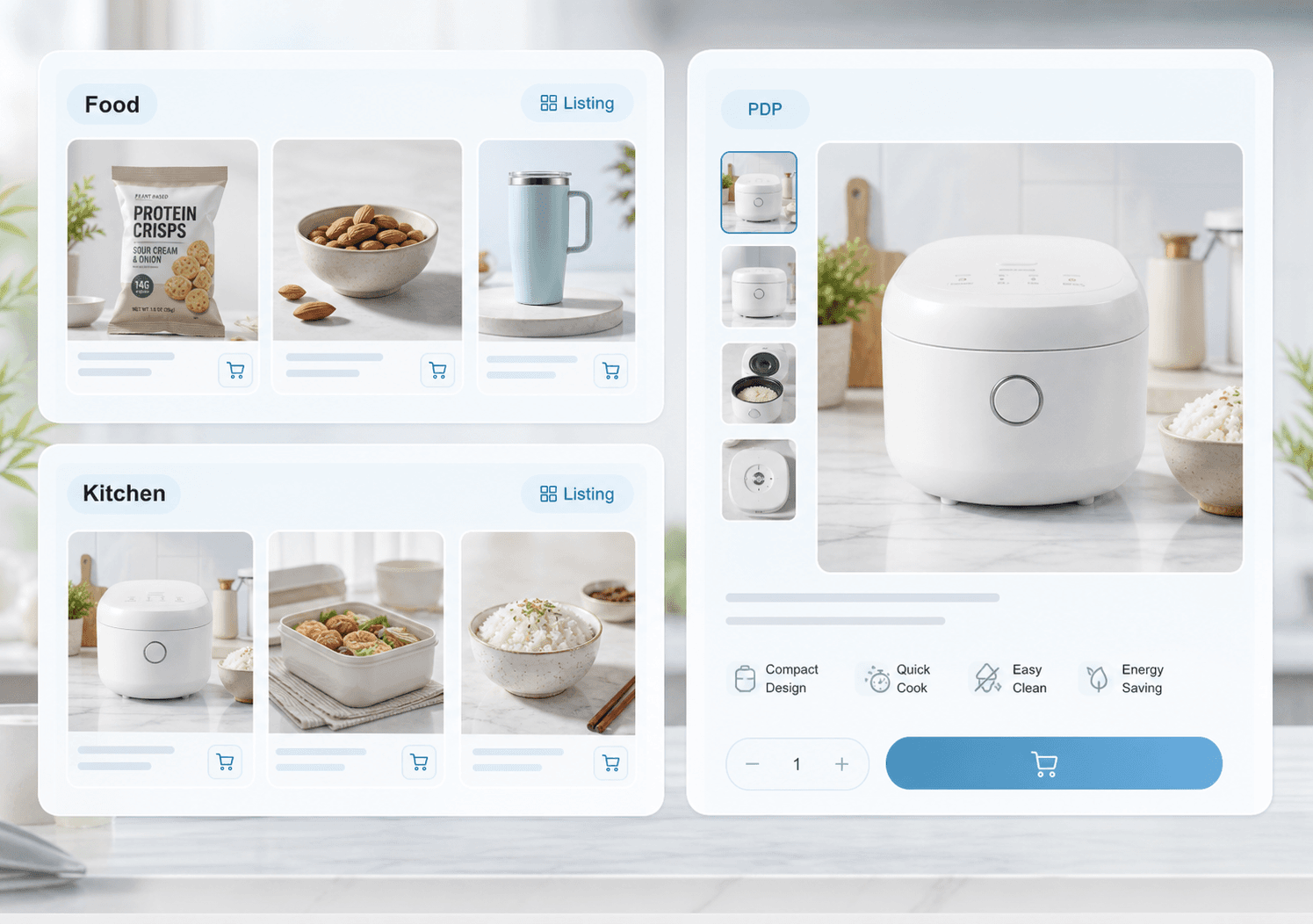
Shopify visuals usually carry more brand mood, flexible composition, and campaign storytelling because the merchant controls the storefront environment.
How Amazon images work
Amazon images usually need faster scanning, tighter product focus, and clearer structured explanation because the marketplace controls the browsing context.
The same product needs two different image strategies
Amazon images are judged by rules: pure white lead, 85% frame fill, no text or overlays, and strict variant mapping. Shopify images are judged by desire: a styled scene, a campaign mood, and a gallery that answers objections in order. A set that satisfies Amazon's rules usually looks clinical on a storefront, and a set that performs on a storefront usually fails Amazon review, which is why the two channels need separate exports from the same reference photo.
Choosing which channel to design first
Design the strictest channel first, because compliant assets can be restyled but non-compliant ones cannot be un-styled. Amazon's rules are also a useful forcing function for product accuracy, since the lead image has to show only what ships. Once the Amazon set is approved, build the storefront set from the same references with the styling the brand needs.
FAQ
Can the same images work for both channels?
Sometimes, but high-performing teams usually adapt visuals because storefront and marketplace expectations are different.
Which channel needs stricter structure?
Amazon usually needs the stricter image system because the marketplace format and category norms are less flexible.
Can I use the same product images on Amazon and Shopify?
You can use the same reference photography, but not the same exports. Amazon's lead image rules forbid the styling that makes a storefront hero work, and a compliant Amazon image often reads as flat on a brand storefront.
Which channel should I design images for first?
Amazon, because its rules are strictest. A compliant set can be restyled for a storefront, while a brand-led set usually has to be rebuilt to pass Amazon review.
Ready to apply this workflow?
Turn this plan into a reusable image set
Use the Shopify product images vs Amazon listing images workflow with your product references, then review the result against the destination channel before publishing.
Related resources
Amazon Listing Image Generator Guide
See how an Amazon listing image generator can help sellers create main-image directions, lifestyle scenes, feature callouts, and benefit visuals faster.
Shopify Product Image Generator
Understand how a Shopify product image generator supports storefront hero visuals, collection banners, PDP assets, and seasonal campaign updates.
Amazon A+ Content Image Generator
Create reviewable Amazon A+ content image directions for product storytelling, comparison modules, feature proof, and mobile-readable listing visuals.
Listing Optimization Image Generator
Create listing optimization images for marketplace main images, benefit graphics, comparison panels, size visuals, and mobile shopping pages.
Resource center
A central entry point for guides, examples, templates, industry pages, and channel hubs.
AI product image resources
Browse guides, comparisons, templates, examples, and production use cases.
AI product image software resources
Cover software evaluation, creative automation, PDP optimization, and ecommerce buying intent.
Amazon and Shopify image resources
See how marketplace and storefront image systems differ.
Ecommerce localization resources for global sellers
A practical planning hub for teams adapting one approved SKU into market-aware creative for North America, Europe, Japan, South Korea, Hong Kong, and Taiwan without losing product accuracy or platform context.
E-commerce video
Alongside product-image workflows, CommercePix AI supports e-commerce video generation from a product start image and a short creative direction. It helps teams explore product motion for PDP heroes, short-form ads, and social previews, while keeping task history in the same account workspace. Teams must review every result for product accuracy and channel compliance before publishing.
Industry pages
Explore category-specific workflows for beauty, electronics, home, pet, and more.
Examples
Inspect public examples for detail pages, hero visuals, and marketplace sets.
Templates
Use reusable prompt and workflow templates for production tasks.